Last updated: June 2026
A wireless CCTV camera that consistently drops connection, buffers video, or fails to record events during certain hours is most likely suffering from WiFi channel congestion caused by neighbouring networks. The 2.4 GHz band, used by most budget wireless cameras, has only three non-overlapping channels in the UK (1, 6, 11). In dense urban and suburban areas, dozens of networks compete for these channels, and the camera’s weak WiFi radio cannot compete with the neighbour’s router placed just metres away on the other side of a party wall.
The Channel Congestion Problem in UK Housing
A WiFi scanner in a typical UK semi-detached house reveals 15–30 visible networks within range, most on the 2.4 GHz band. All these networks share the same three non-overlapping channels (1, 6, 11). When multiple networks use the same channel, WiFi clients share airtime through CSMA/CA, which means the camera’s data transmission waits while the neighbour’s network is active. In a dense area, available airtime per network can be as low as 10–20% of total capacity. A camera requiring 5 Mbps sustained throughput may be limited to 1–2 Mbps, causing video buffering and disconnection.
Why CCTV Cameras Are Particularly Vulnerable
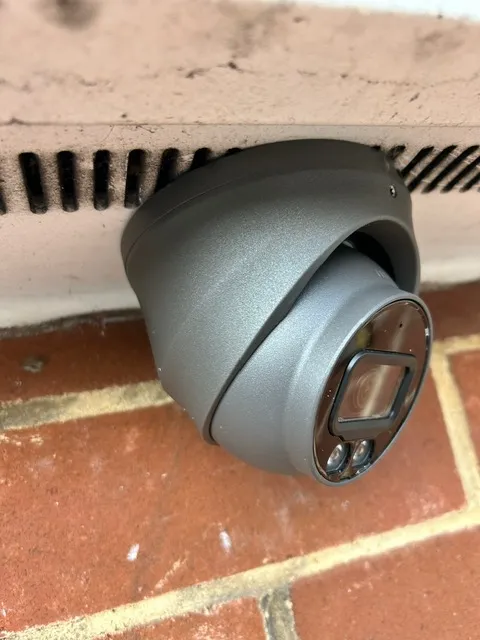
CCTV cameras have smaller antennas and lower transmit power than routers, typically 17 dBm compared to 20–23 dBm for access points. They are often mounted in corners of rooms, inside weatherproof housings that attenuate WiFi signals by 3–6 dB, and positioned near brick walls that further reduce signal strength. The camera’s WiFi chip may use only a single antenna with no MIMO capability, making it less able to reject interference from overlapping channels. The combined effect is that a camera 10 metres from the router through one wall may have an effective data rate of only 10–20 Mbps, and congestion drops this below the 5–10 Mbps required for stable HD video.
Diagnosing Channel Congestion Around Your Camera
Use a WiFi analyser app on a smartphone held at the camera’s installation position. Check the signal-to-noise ratio (SNR) on the camera’s channel. An SNR below 25 dB predicts poor performance. Scan for co-channel interference: if 5+ networks occupy the same channel as your camera, congestion is the likely cause. Check the camera’s web interface or app for the current link speed. If the link speed fluctuates between 10 and 30 Mbps, interference is present. Test at different times of day: if performance degrades during evening hours, neighbour activity is the root cause.
Fixing WiFi Congestion for CCTV Cameras
Move the camera to 5 GHz if it supports dual-band WiFi. The 5 GHz band has 19 non-overlapping channels in the UK, and fewer neighbours use it because its shorter range means it does not penetrate walls as well. If 5 GHz is unreliable due to distance, manually set the access point to the least-congested channel based on your WiFi analyser scan. Change the camera’s WiFi band to use only 802.11n or 802.11ac rather than the mixed-mode setting that falls back to slower 802.11g. For the most reliable connection, use a wired PoE camera or a WiFi access point dedicated to the camera network.

Video: Privacy Law in 2025: What Your UK Business Needs to Know | LegalVision
Frequently Asked Questions
1. Why does my wireless CCTV camera keep disconnecting?
Answer: Most wireless CCTV issues are caused by WiFi channel congestion from neighbouring networks. The 2.4 GHz band only has 3 non-overlapping channels, and in dense UK housing, 15–30 networks compete for them. For more detail, see Future of Offices and Commercial Buildings CCTV in 2026 - UK trends and technology. Also read our related guide: 5 GHz vs 2.4 GHz for WiFi Security Cameras. Browse our in-depth home security resource at Home Security Guide. Official UK guidance on this topic: NSI.
2. How can I check WiFi interference at my camera location?
Answer: Use a WiFi analyser app on your phone at the camera’s position. Look for SNR below 25 dB, 5+ networks on the same channel, or link speed fluctuation between 10 and 30 Mbps. For more detail, see Does Schools and Education Settings CCTV reduce insurance premiums in 2026? UK guide. Also read our related guide: LoRaWAN for Remote CCTV: Long-Range Low-Bandwidth Alternative.
3. Is 5 GHz better than 2.4 GHz for CCTV cameras?
Answer: 5 GHz has more available channels and less congestion, but shorter range and poorer wall penetration. For cameras within 15 metres of the router with at most one wall, 5 GHz is preferable. For more detail, see How much does Car Parks CCTV cost in 2026? UK prices explained. Also read our related guide: 4G/5G Cellular Failover for Rural CCTV.
4. Will a WiFi extender fix my camera’s connection problems?
Answer: A WiFi extender can improve signal strength but adds latency and halves available bandwidth. A wired access point dedicated to the camera network is more reliable than an extender. For more detail, see How to install CCTV for Home WiFi - UK step by step guide 2026. Also read our related guide: Mesh WiFi vs Point-to-Point for Camera Networks.
5. Can I use a separate router just for my cameras?
Answer: Yes. A dedicated WiFi access point for the camera network on a non-congested channel eliminates interference from household WiFi traffic. Use Ethernet to connect the camera AP to the main network. Also read our related guide: CCTV Cable Parallel to Mains Power Causes Interference.
Conclusion
The difference between a security system that works and one that frustrates is understanding the real-world behaviour of cameras, cables, and the environment they operate in. Manufacturers sell specifications. Installers solve problems. The questions above represent the issues that UK homeowners and businesses actually face — the ones the spec sheets do not mention.
Article by Gary Pearce, qualified security systems engineer. For a free security assessment, visit gary-pearce-home-services.pages.dev. This guide was last updated June 2026. Verify current UK regulations with the ICO.