Last updated: June 2026
A Virtual Local Area Network (VLAN) is the foundational security measure for any IP CCTV system with more than 4 cameras. A VLAN separates the camera network traffic from the main home or business network at the data link layer, preventing a compromised camera from accessing computers, phones, or other devices on the main network. Despite being standard practice in commercial installations, VLANs are rarely used in UK domestic CCTV systems, leaving them vulnerable to the most common camera security attack pattern.
How VLAN Isolation Protects Your Network
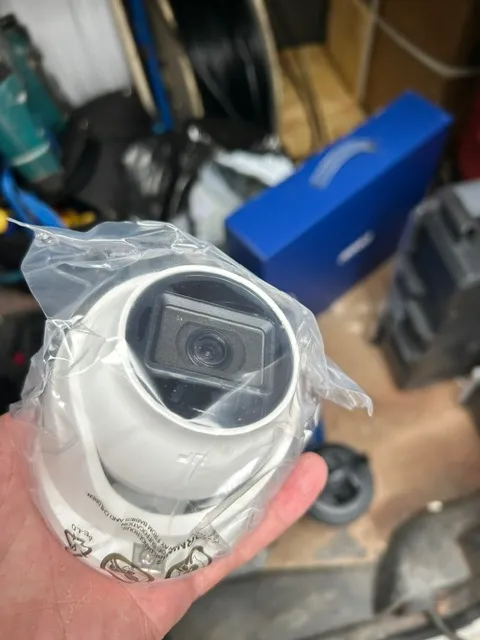
Without VLAN isolation, all devices on the same network segment can communicate with each other. A camera compromised through default credentials or an unpatched vulnerability can: scan the network for other devices, attempt to access file shares, printers, and NAS devices using default credentials, participate in DDoS attacks, or act as an entry point for ransomware. With VLAN isolation, the camera network is a separate broadcast domain. The camera can communicate only with the NVR and the internet gateway (for firmware updates and remote access via VPN). All traffic between the camera VLAN and the main network must pass through a router with firewall rules that explicitly permit only specific traffic types (e.g., NVR recording traffic only).
VLAN Configuration for Existing Networks
Most UK home routers do not support VLANs. To implement VLAN isolation, you need: a managed switch with 802.1Q VLAN support (£50–£150 for 8-port, £100–£300 for 16-port managed switches from TP-Link, Netgear, or Ubiquiti), and a router that supports inter-VLAN routing with firewall rules (a £100–£200 router from MikroTik, Ubiquiti, or a pfSense/OPNsense router). Configure two VLANs: VLAN 1 (main network, ID 1) and VLAN 200 (camera network, ID 200). Configure switch ports: assign camera ports to VLAN 200 untagged, assign the uplink port to VLAN 200 tagged. Configure the router to allow only specific outbound traffic from VLAN 200: to the NVR (IP of NVR, port 554/RTSP and 80/HTTP or 443/HTTPS), and to the internet (for firmware updates and time synchronisation).
Firewall Rules That Actually Work
The firewall rules for camera VLAN security should be: permit from camera VLAN to NVR IP on ports 554, 80, 443 (RTSP, HTTP, HTTPS), permit from camera VLAN to internet on ports 123 (NTP time sync) and 443 (HTTPS firmware updates), permit from camera VLAN to DNS server on port 53, permit from NVR to camera VLAN on ports 80, 443, 554, 5000-5001 (ONVIF discovery), deny all other traffic from camera VLAN to main VLAN, and deny all traffic from camera VLAN to internet except the specific permits above. This configuration allows the cameras to record to the NVR and receive firmware updates but prevents them from initiating connections to any other device on the network.
VLAN Without Managed Switches: A Practical Alternative
If managed switches are beyond your budget or technical comfort, an alternative is using two separate physical switches: one switch for cameras only, connected to the router’s LAN port; one switch for the main network, connected to a different router LAN port. The router’s firewall rules between its LAN interfaces provide the isolation that VLANs would provide through the switch. This approach does not require managed switches but does require a router with multiple LAN interfaces and firewall rule support. The cost is similar to the managed switch approach, but the configuration is simpler for users familiar with router firewall interfaces.

Video: Privacy Law in 2025: What Your UK Business Needs to Know | LegalVision
Frequently Asked Questions
1. Do I need a VLAN for my home security cameras?
Answer: For 4+ cameras, highly recommended. A VLAN prevents a compromised camera from accessing your main network devices. For 1–2 cameras, the risk is lower but VLAN isolation is still good practice. For more detail, see Can CCTV record inside the nave or chancel of a church without explicit consent? UK Churches and Places of Worship CCTV rules explained 2026. Also read our related guide: Multicast vs Unicast for Multi-Viewer CCTV Setups. Browse our comprehensive CCTV knowledge base at CCTV Systems Guide. Official UK guidance on this topic: SSAIB.
2. What equipment do I need for CCTV VLAN isolation?
Answer: A managed switch with 802.1Q VLAN support (£50–£150) and a router that supports inter-VLAN routing with firewall rules (£100–£200). Some high-end home routers include basic VLAN support. For more detail, see How to install CCTV for Self Storage Facilities - UK step by step guide 2026. Also read our related guide: PoE Power Budget Calculation: Real vs Rated.
3. Can I do VLAN isolation without a managed switch?
Answer: Yes, use two separate physical switches connected to different LAN ports on a multi-port router, with firewall rules between the ports. This achieves the same isolation without managed switch configuration. For more detail, see Dental and Medical Practices CCTV - insurance-guide (2026). Also read our related guide: UPS Sizing for CCTV: How Long Do You Need?.
4. Will VLAN isolation prevent remote viewing of cameras?
Answer: No. The NVR on the camera VLAN can be accessed from the main VLAN through the firewall rule that permits main-VLAN-to-NVR traffic on specific ports. Remote access through VPN also works through the router. For more detail, see Can recording workers in PPE via CCTV breach the GDPR Article 6 lawful basis? UK Construction Sites CCTV rules explained 2026. Also read our related guide: Long-Term Cold Storage for CCTV Evidence Footage.
5. Does VLAN isolation affect camera performance?
Answer: No. The camera-to-NVR traffic stays within the same VLAN and is switched at wire speed. The firewall rules only apply to traffic crossing VLANs, which should be minimal in a properly configured system. Also read our related guide: When to Update Camera Firmware: Risks vs Benefits.
Conclusion
The difference between a security system that works and one that frustrates is understanding the real-world behaviour of cameras, cables, and the environment they operate in. Manufacturers sell specifications. Installers solve problems. The questions above represent the issues that UK homeowners and businesses actually face — the ones the spec sheets do not mention.
Article by Gary Pearce, qualified security systems engineer. For a free security assessment, visit gary-pearce-home-services.pages.dev. This guide was last updated June 2026. Verify current UK regulations with the ICO.