Last updated: June 2026
You have spent hours running cable, terminating connectors, and carefully positioning your cameras. You power up the system and the image looks good — except for a faint horizontal bar slowly rolling from bottom to top. Or worse, multiple bars. Or a diagonal shadow that never stops moving. This is a ground loop, and it is one of the most misdiagnosed problems in analogue CCTV installation.
What Actually Causes Ground Loops
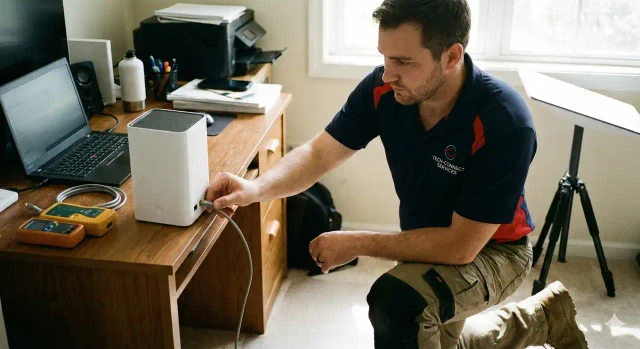
A ground loop occurs when two connected devices have different ground potentials. In a CCTV system, the camera and the DVR may be grounded through different paths — one through the mains earth, the other through the coaxial cable shield. When these ground potentials differ by even a few millivolts, current flows through the shield. This 50Hz (or 100Hz in the UK) interference modulates the video signal, creating the characteristic rolling bars.
The problem is most common when cameras are mounted on metal poles or buildings with separate earthing systems. A camera on a metal garage, for example, may have a significantly different ground potential than the DVR inside the house.
Why It Gets Worse at Night
Many installers report that ground loop interference mysteriously appears or worsens at night. The reason is that when IR LEDs activate, the camera draws more current from its power supply. This increased current flow through the ground path changes the voltage differential, making the previously invisible ground loop suddenly apparent.
This is why a system that passes daytime testing can show rolling bars at night. The problem existed all along — it was simply below the visual threshold until the IR load amplified it.
The Quick Fix That Costs GBP 15
A ground loop isolator (also called a video balun with isolation) breaks the physical ground connection between the camera and DVR while passing the video signal. These devices use a transformer to couple the video signal magnetically rather than electrically, eliminating the DC path that carries the interference.
Install one isolator per affected camera at either the camera end or the DVR end. In 80% of cases, a single isolator on the worst-affected camera resolves the entire system because it breaks the ground loop chain.
Why Cable Quality Matters
Poor-quality coaxial cable with inadequate braid shielding is more susceptible to ground loop interference. RG59 cable with 95% copper braid provides significantly better shield continuity than RG59 with 60% braid. In installations with long cable runs, use RG6 or RG11 for better shield performance.
If you are using twisted-pair cable with baluns instead of coaxial, the transformer isolation in the baluns often prevents ground loops entirely. This is one reason why Cat5e/Cat6 with baluns is often recommended over direct coaxial runs in challenging environments.

Video: IPcam: Testing new 4K (8MP) "2019" IP camera models from Dahua (lots of demo footage) — a practical walkthrough of the technology discussed in this guide.
Frequently Asked Questions
1. How do I tell the difference between a ground loop and a cable fault?
Answer: Ground loop bars roll slowly and steadily. Cable faults produce static horizontal lines or sparkles that do not roll. A ground loop also affects all cameras on the same power circuit to varying degrees, while a cable fault is isolated to one camera. For more detail, see How to Monitor Remote Barns and Livestock Theft Risk on UK Farm Property in 2026:. Also read our related guide: Why Your AI Security Camera Flags a Washing Line as a Person: The Training Data Blind Spot. Browse our comprehensive CCTV knowledge base at CCTV Systems Guide. Official UK guidance on this topic: SSAIB.
2. Can a ground loop damage my DVR or cameras?
Answer: In most cases, ground loops cause visible interference but no permanent damage. However, in extreme cases where the ground potential difference exceeds several volts, the current flowing through the video cable shield can damage the video input circuitry of the DVR. For more detail, see Does Self Storage Facilities CCTV reduce insurance premiums in 2026? UK guide. Also read our related guide: The 100-Metre PoE Myth: Why Your Outdoor Camera Fails at 70 Metres and How to Design Realistic Cable Runs.
3. Will using a different power supply fix a ground loop?
Answer: Switching from a shared multi-camera power supply to individual plug-in power supplies for each camera often resolves ground loops because it breaks the common ground path. This is worth trying before buying isolators. For more detail, see How to maintain Offices and Commercial Buildings CCTV systems - UK guide 2026. Also read our related guide: Why Your CCTV Camera Attracts Every Moth in the Neighbourhood: The Infrared Insect Magnet Problem.
4. Does a UPS prevent ground loops?
Answer: Not directly. A UPS provides clean power but does not eliminate ground potential differences between devices. However, a UPS with true double-conversion (online) topology does isolate the output from the input, which can indirectly reduce ground loop issues. For more detail, see How to maintain Farms and Agricultural Property CCTV systems - UK guide 2026. Also read our related guide: Why Your Neighbour's Ring Doorbell Is Legally Filming You: The Fairhurst v Woodard Rule Every UK Homeowner Misses.
5. Why do my ground loop symptoms change when I touch the cable?
Answer: Your body acts as a ground reference. Touching the BNC connector or cable shield changes the ground potential at that point, altering the interference pattern. This is a useful diagnostic sign but not a permanent fix. Also read our related guide: BNC Connector Rot: The Single Most Common Failure Point in Analogue CCTV and Why It Always Fails at 2 AM.
Conclusion
The difference between a security system that works and one that frustrates is understanding the real-world behaviour of cameras, cables, and the environment they operate in. Manufacturers sell specifications. Installers solve problems. The questions above represent the issues that UK homeowners and businesses actually face — the ones the spec sheets do not mention.
Article by Gary Pearce, qualified security systems engineer. For a free security assessment, visit gary-pearce-home-services.pages.dev. This guide was last updated June 2026. Verify current UK regulations with the ICO.