Last updated: June 2026
An annual CCTV system audit is the difference between a system that provides reliable security coverage for 10+ years and one that gradually degrades until a critical event reveals the gaps. The audit is not a simple check of whether cameras are recording. It is a systematic review of coverage, image quality, storage, network security, legal compliance, and equipment condition. UK homeowners and businesses should conduct this audit annually, ideally at the same time each year (September, before the autumn and winter high-risk period).
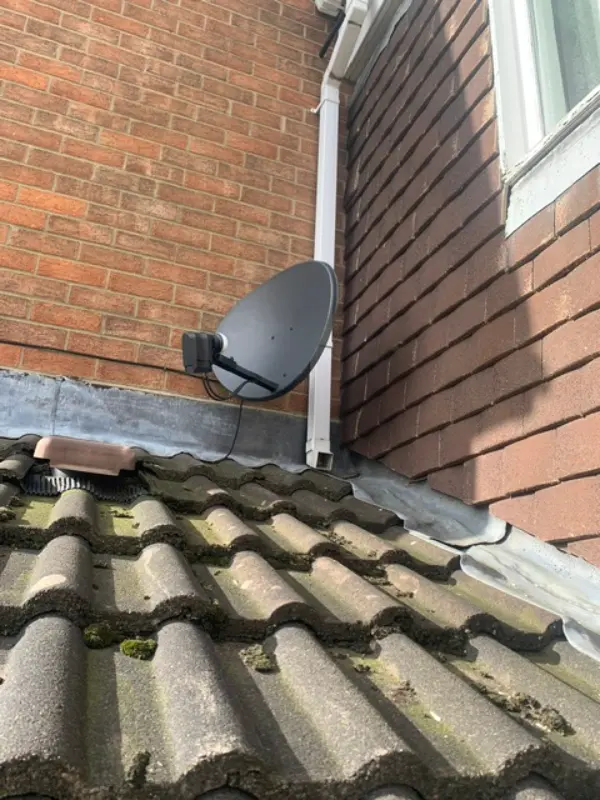
Camera Coverage and Field-of-View Review
Walk the entire property and check each camera’s live feed. Has foliage grown to block any camera’s field of view? Has a new structure (shed, fence, extension) created a blind spot? Has the camera shifted on its bracket (check the image horizon against the installation reference photo)? Are the detection zones still appropriate (have usage patterns changed since installation)? For each camera, verify: the field of view matches the original installation specification, there are no new obstructions, the camera is still covering its designated area, and the detection zones in the NVR still align with the actual camera view.
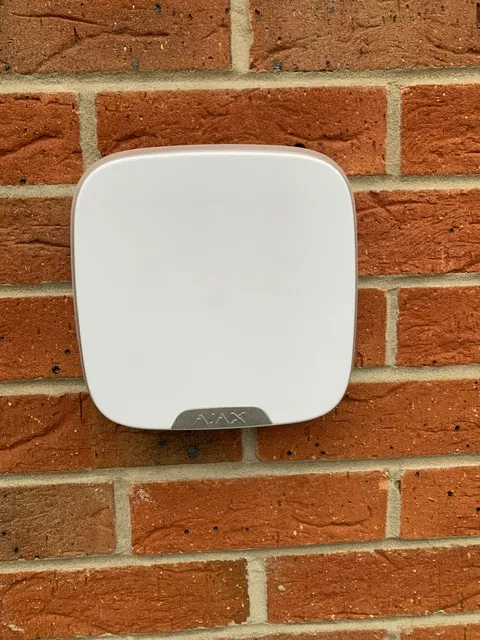
Image Quality and Recording Verification
Review recorded footage from each camera in both day and night modes. Check: focus (images should be sharp, not soft), colour balance (colours should be natural, not tinted), exposure (not too bright or too dark in the coverage area), IR performance (night range should match the original baseline), motion blur (moving subjects should not be excessively blurred; if they are, check shutter speed settings), and audio (if the camera has audio, check that the microphone is not blocked and the audio level is appropriate). Compare night images against the installation baseline; if night quality has degraded, check for dome clouding, IR LED degradation, or dirt on the lens window.
Storage and Retention Compliance Check
Log into the NVR and verify: the total storage capacity and how many days of recording are retained (should match your retention policy), S.M.A.R.T. health status of all hard drives (replace any drive with reallocated sector count above 50 or pending sector count above 10), the NVR’s time is synchronised to an NTP server (timestamps on footage are critical for evidence), and the recording schedule matches the required coverage (continuous for high-risk areas, motion for lower-risk areas). Check that the NVR’s disk usage graph shows consistent daily usage without unexplained gaps.
Network Security and Access Audit
Review the current network configuration: are cameras still on an isolated VLAN? Check that no ports have been opened on the router for camera access (use a port scanning tool to verify). Update all camera and NVR passwords (change annually or immediately if any staff member with access has left the organisation). Review the user account list on the NVR: are there accounts for people who no longer need access? Are there default or shared accounts that should be removed? Check that HTTPS is enabled on the NVR web interface. Verify that no unauthorised devices have been connected to the camera network (check the switch’s MAC address table against the camera inventory).
Legal and Documentation Review
Review your Legitimate Interest Assessment (update if camera coverage or purpose has changed). Check CCTV signage: are all required signs still in place and legible? Has any new neighbour complaint been received since the last audit? Review the Subject Access Request response procedure (is it still current under the Data (Use and Access) Act 2025?). Verify that the retention period in the NVR matches your documented retention policy. Update the system documentation: add any cameras installed since the last audit, note any configuration changes, and record any equipment failures or replacements.
Equipment Condition Inspection
Physically inspect each camera and its cabling: is the housing showing signs of UV degradation (yellowing, crazing, brittleness)? Are the mounting bracket screws tight? Is the cable entry gland still sealing properly? Is there any corrosion visible on the bracket or housing? Check the external junction box seals and cable entry points. Inspect the NVR and switch location: is ventilation adequate? Is the equipment free of dust? Are all cables neatly routed and labelled? Check the UPS: run a battery test (disconnect mains and measure runtime). Check surge protectors: have they absorbed a surge (indicator light may show protection is exhausted)?

Video: Stop retail shrink: AI loss prevention from aisle to checkout | SeeChange
Frequently Asked Questions
1. How often should I audit my CCTV system?
Answer: Annually, in September before the high-risk autumn and winter period. This ensures the system is at full capability when you need it most. For more detail, see How much does Gyms and Fitness Centres CCTV cost in 2026? UK prices explained. Also read our related guide: Cloud CCTV Bandwidth Cost: Hidden Broadband Caps. Browse our security technology hub at Uni Blog Security Hub. Official UK guidance on this topic: BSI.
2. What are the most important items in a CCTV audit?
Answer: Camera coverage (any new blind spots?), image quality (day and night comparison against installation baseline), storage retention (are you keeping footage for the required period?), network security (still isolated on VLAN?), and legal compliance (signage, LIA, SAR procedure). For more detail, see Dental and Medical Practices CCTV - ultra-long-tail-legal (2026). Also read our related guide: H.265 vs H.264 Compression Math for CCTV Storage.
3. How do I check if my camera image quality has degraded?
Answer: Compare the current night image against the installation baseline photo. Reduced night range or uneven IR illumination indicates LED degradation or dome clouding. Daytime softness may indicate focus shift or dirt. For more detail, see Churches and Places of Worship CCTV - insurance-guide (2026). Also read our related guide: MicroSD Card Corruption in CCTV Cameras.
4. What storage metrics should I check annually?
Answer: Total retention days (matches policy?), S.M.A.R.T. health of all drives (replace if reallocated sectors > 50), NTP time sync status (timestamps accurate?), and recording schedule (no unexplained gaps in the disk usage graph). For more detail, see Offices and Commercial Buildings CCTV - UK legal requirements and GDPR compliance 2026. Also read our related guide: NAS vs NVR for CCTV: Why NAS Fails for Recording.
5. What legal documents should I review in the audit?
Answer: Legitimate Interest Assessment (is it still current?), CCTV signage condition and placement, Subject Access Request response procedure (updated for Data (Use and Access) Act 2025?), and documented retention policy. Also read our related guide: Pub CCTV 31-Day Retention Rule Under the Licensing Act.
Conclusion
The difference between a security system that works and one that frustrates is understanding the real-world behaviour of cameras, cables, and the environment they operate in. Manufacturers sell specifications. Installers solve problems. The questions above represent the issues that UK homeowners and businesses actually face — the ones the spec sheets do not mention.
Article by Gary Pearce, qualified security systems engineer. For a free security assessment, visit gary-pearce-home-services.pages.dev. This guide was last updated June 2026. Verify current UK regulations with the ICO.