Last updated: June 2026
Protecting your UK property with modern security technology is one of the smartest investments you can make. This guide covers everything you need to know about selecting, installing, and maintaining the right systems for your specific needs.
Why This Matters
UK homes without visible security measures are up to 3.5 times more likely to be burgled according to official statistics. A well-designed security system acts as both a deterrent and an evidence-gathering tool, giving you peace of mind whether you are at home, at work, or away on holiday.
Modern systems go far beyond simple recording. AI-powered motion detection distinguishes between a passing animal and a potential intruder. Cloud storage ensures footage survives even if equipment is damaged. Remote access lets you check your property from anywhere in the world.
Key Considerations Before You Buy
| Factor | What to Think About | Our Recommendation |
|---|---|---|
| Property size | How many cameras you need | Start with 4-8 cameras for a typical 3-bed home |
| Budget | Equipment plus installation | Budget GBP 500-2,000+ depending on system quality |
| Storage | Days of footage you need to keep | Minimum 14 days, 30 days recommended |
| Remote access | Smartphone compatibility | Choose an app rated 4+ stars on iOS and Android |
| Night vision | Low-light performance | Opt for colour night vision over infrared |
| Weather rating | Outdoor camera durability | Look for IP65 or higher for UK weather |
Legal Responsibilities
UK GDPR and the Data Protection Act 2018 set clear rules for CCTV operation. Every system owner must follow these principles:
Registration and signage — If you are a business, you must register with the ICO and pay the annual data protection fee. Display clear, visible signs telling people they are being recorded.
Data protection assessment — Conduct a Data Protection Impact Assessment before going live. Document what you record, why, how long you keep it, and who has access.
Boundary restrictions — Position cameras so they record only your property. Pointing cameras at neighbours homes, public footpaths, or common areas without justification is a breach of GDPR.
Retention limits — Delete footage after 30 days unless it is needed for an active investigation. Automatic overwrite settings on your NVR or DVR handle this.
Installation Best Practices
Getting the installation right is just as important as choosing the right equipment. Poorly positioned or insecure cameras defeat the purpose of having a system.
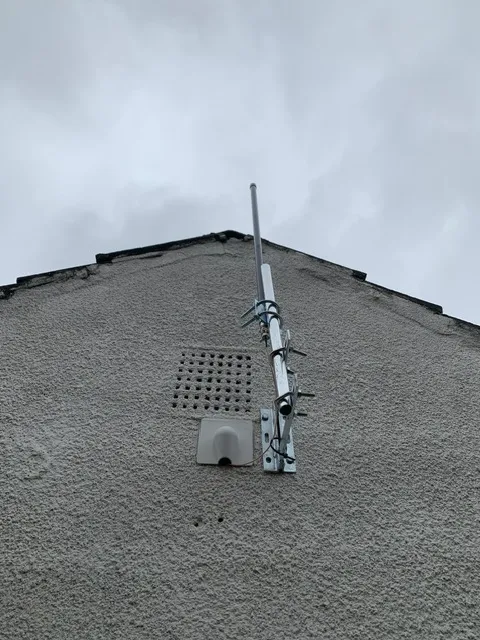
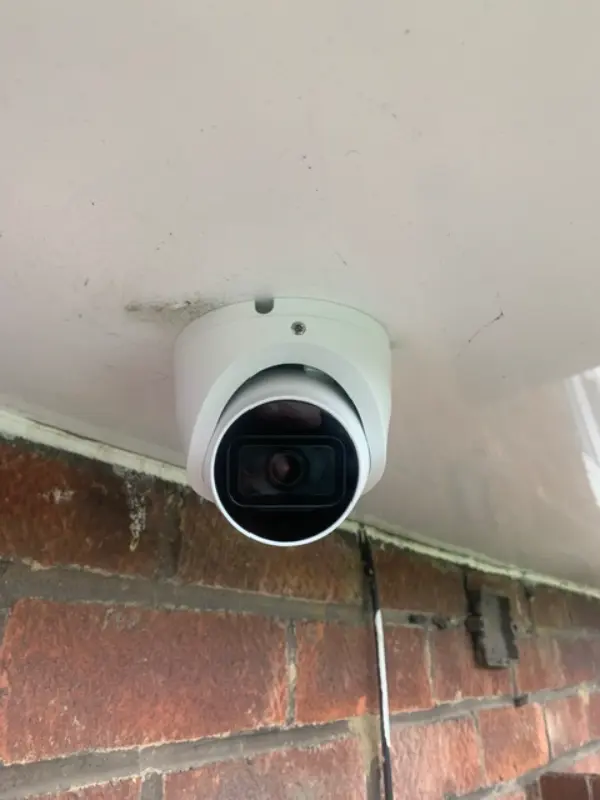
Mounting height — Install cameras 2.5 to 3 metres above ground level. High enough to prevent tampering, low enough to capture clear facial images.
Camera angle — Angle each camera downward 15 to 30 degrees. This captures faces rather than the tops of heads.
Cable protection — Seal every cable entry point with weatherproof grommets and silicone. Water ingress is the most common cause of camera failure in the UK.
Surge protection — Fit surge protectors on all external PoE runs. Lightning strikes and power surges travel along Ethernet cables and can destroy your NVR.
Night testing — Test every camera angle at night after installation. Daytime positioning that looks perfect can be useless after dark.
Technology Comparison
Understand the key technology choices before making a purchase:
Resolution — 4K cameras capture licence plates and facial details that 1080p cameras miss. The extra initial cost is worth it for evidence quality.
Compression — H.265 cameras use half the bandwidth and storage of H.264 cameras at the same quality. Always choose H.265 for new installations.
Connectivity — PoE cameras are more reliable than WiFi cameras because they use a dedicated cable for both power and data. WiFi cameras are easier to retrofit but prone to signal dropouts.
Storage — Local NVR storage gives you full control with no monthly fees. Cloud storage adds monthly cost but protects footage even if the NVR is stolen or damaged.
Video: Tapo C675D Kit Review - Is the Hype Justified? — a practical walkthrough of the technology discussed in this guide.
Frequently Asked Questions
1. Is a professional security system worth the cost for UK homeowners?
Answer: Absolutely. The average UK burglary costs around GBP 3,000 in stolen goods and damage. A quality system costs GBP 500-2,000 and lasts 5-10 years. Most insurers offer 10-20% premium discounts for professionally installed CCTV, so the system begins paying for itself immediately. For a detailed breakdown of camera types and their costs, read Future of Hotels and Hospitality CCTV in 2026 - UK trends and technology. You can also browse our security technology hub at Uni Blog Security Hub for additional buying advice. Official guidance from Surrey Security Centre is available at Surrey Security Centre.
2. What are the ongoing costs after installation?
Answer: Expect to pay approximately GBP 30-80 per year in electricity for an 8-camera system. Cloud storage subscriptions add GBP 5-15 per month if you choose cloud over local NVR storage. Annual maintenance such as cleaning lenses and checking cables costs minimal time or GBP 50-100 for a professional service visit. For more on long-term ownership, see Hotels and Hospitality CCTV - UK legal requirements and GDPR compliance 2026.
3. Can I install the system myself or must I use a professional?
Answer: Modern wireless cameras are straightforward for confident DIYers to install. Wired PoE systems require drilling through masonry, running cables through lofts, terminating RJ45 connectors, and potentially connecting to mains power — work that often needs a qualified electrician under UK building regulations. Always check manufacturer guidelines and consider professional installation for anything beyond a single wireless camera. For a step-by-step comparison of both approaches, see our guide on Wireless Security Guide 1: UK Best Practices for 2026.
4. How long should I keep recorded footage under UK law?
Answer: The ICO recommends 30 days maximum unless footage is needed for an active police investigation or legal proceeding. Businesses must document their retention policy in their DPIA and stick to it. Automatic overwrite settings on modern NVRs handle deletion for you. Review your retention policy annually. For legal compliance details, refer to Future of Offices and Commercial Buildings CCTV in 2026 - UK trends and technology.
5. Will my CCTV cameras work with my existing smart home system?
Answer: Most modern CCTV cameras are ONVIF-compliant, meaning they work with Google Home, Amazon Alexa, Apple HomeKit, and Home Assistant. Check ONVIF compatibility before purchasing — it is the universal standard that guarantees integration. Some brands use proprietary protocols and will not connect to third-party hubs. For specific integration guides, visit our security technology hub at Uni Blog Security Hub. For troubleshooting tips, also see Farms and Agricultural Property CCTV - insurance-guide (2026).
Conclusion
The right security system transforms your property from a potential target into a protected home or business. With modern technology offering crystal-clear 4K resolution, AI-powered detection, cloud backup, and seamless smart home integration, there has never been a better time to upgrade.
Start by assessing your property, setting a budget, and choosing between wireless and PoE. Install with care, comply with UK regulations, and maintain your system regularly. Your future self — and your insurer — will thank you.
This guide was last updated June 2026. Regulations and technology evolve, so always verify current UK requirements with the ICO or a qualified security professional.